Objective
This guide helps you make an informed decision when selecting an AI design and UI generation tool. We will detail v0 by Vercel, compare it against competitors like Lovable, Bolt.new, and Figma AI, and provide a framework to choose the solution that fits your technical stack, team workflow, and product goals.
Key Takeaways
- Building modern web applications involves bridging the gap between design and functional code. AI design tools now translate natural language or mockups directly into production-ready frontend components or full-stack apps.
- v0 by Vercel excels at generating clean, copy-pasteable React (Next.js) and Tailwind CSS components, acting as an AI-powered UI engineer rather than a full backend architect.
- Competitors like Lovable and Bolt.new offer full-stack capabilities (including databases and authentication), making them better suited for rapid MVP creation.
- Figma AI remains the standard for pure visual design, optimizing workflows within the vector canvas before any code is written.
- Selecting the right platform today prevents costly code rewrites later, ensuring your AI-generated foundation scales with your business.
Introduction
The transition from design to functional code has historically been the biggest bottleneck in product development, often resulting in "lost in translation" errors between designers and developers. The latest generation of AI web builders fundamentally changes this dynamic, allowing teams to generate, iterate, and deploy production-ready code through simple conversational prompts.
Did you know? Developers utilizing generative UI tools can scaffold frontend interfaces exponentially faster, shifting their focus from writing boilerplate markup to refining complex business logic and backend architecture.
In this guide, we will break down what v0 by Vercel is, compare it against the leading AI design tools in the market, and help you select the right platform for your next project.
Table of Contents
- What Is v0 by Vercel?
- Why Choosing the Right AI Design Tool Matters
- Best AI UI & App Generation Tools
- Frontend Component Generators vs. Full-Stack Builders
- How to Choose the Right AI Tool
- Understanding the Investment
- Real-World Example: Building a SaaS Dashboard
- Build Smarter, Not Harder
- Frequently Asked Questions
What Is v0 by Vercel?
Simply put, v0 is a generative user interface tool created by Vercel that converts natural language prompts and image uploads into functional, copy-pasteable React code using Tailwind CSS and shadcn/ui.
A successful deployment of v0 relies on several core components:
- Conversational prompt-to-UI generation
- Built-in visual design preview and interactive editing
- Seamless Next.js and GitHub integration
- Native support for the shadcn/ui library and Tailwind CSS
- Iterative version history and block-level refinement
What this really means is that instead of manually coding buttons, layout grids, and forms from scratch, a developer can type "create a responsive pricing table with a dark mode toggle," and v0 will instantly generate the clean code required to render it seamlessly in a Next.js application.
Why Choosing the Right AI Design Tool Matters
Many teams assume all "AI web builders" do the exact same thing. In reality, some build pure visual wireframes, some generate isolated UI components, and others attempt to build entire backend databases.
The right platform helps you:
- Accelerate frontend prototyping from weeks to hours.
- Ensure design system consistency through established libraries.
- Reduce the friction of translating visual mockups into functional code.
- Empower non-technical founders to scaffold interactive prototypes.
Relying on the wrong tool—such as using a full-stack MVP builder when you only need a UI component for an existing enterprise app—can lead to severe technical debt, messy codebases, and vendor lock-in that requires a complete rewrite later.
Best AI UI & App Generation Tools
The AI development ecosystem has segmented into specialized tools tailored for different stages of the product lifecycle.
| Tool | Best For | Suitable For | | --- | --- | --- | | v0 by Vercel | Clean React/Tailwind UI components | Developers scaling Next.js frontends | | Lovable | Full-stack web apps with databases | Startups needing an interactive MVP fast | | Bolt.new | Rapid browser-based prototyping | Developers validating full-stack concepts | | Figma AI | Vector-based UI/UX design | Design teams creating initial mockups | | Uizard | AI-generated wireframes | Product managers visualizing basic flows |
These platforms are frequently benchmarked by developer communities and design agencies to determine code quality, deployment speed, and long-term maintainability.
Frontend Component Generators vs. Full-Stack Builders
The biggest divide in the AI design space is between tools that focus strictly on the presentation layer (frontend UI) and those that attempt to build the entire application (full-stack).
- Component Generators (v0 by Vercel): Focus purely on outputting high-quality, maintainable React components. Best for teams that already have a backend and just need to accelerate UI development.
- Full-Stack App Builders (Lovable, Bolt.new): Generate the frontend, backend APIs, database schemas (like Supabase), and authentication. Ideal for prototyping entirely new ideas from scratch.
- Pure Design Assistants (Figma AI, Uizard): Focus on vector graphics, wireframing, and visual ideation without committing to a specific code framework.
Use a full-stack builder when you need to validate a standalone MVP in an afternoon. Stick to a component generator like v0 when you are building a production-grade application where you need strict control over your backend architecture.
How to Choose the Right AI Tool
Choosing the right AI design service is about more than finding the tool with the most features. You need a solution that fits your existing tech stack today and supports your workflow as you grow.
Before you make a choice, ask yourself the following diagnostic questions:
- Do I need a working database and user authentication, or just the visual interface?
- Am I starting a project from scratch, or adding to an existing codebase?
- Does my team already use the Next.js/React ecosystem?
- Am I looking for production-ready code or just a visual mockup for stakeholders?
Here is a simple comparison to help you decide:
| Business Need / Use Case | Recommended Solution | | --- | --- | | Adding a new dashboard to an existing Next.js app | v0 by Vercel | | Launching a functional SaaS MVP with a database | Lovable or Bolt.new | | Collaborating on high-fidelity visual mockups | Figma AI | | Converting a hand-drawn sketch to a digital wireframe | Uizard |
Key Distinction: The critical difference between v0 and Bolt.new is their output scope. v0 gives you clean, modular UI pieces to insert into your existing Next.js puzzle, whereas Bolt.new attempts to build the entire puzzle (frontend and backend) inside a browser-based IDE.
Understanding the Investment
One of the biggest questions engineering leaders ask is how much these AI generation tools actually cost to implement at scale.
| Solution Tier | Suitable For | Estimated Cost | | --- | --- | --- | | Free / Starter Tiers | Solo developers & hobbyists | $0 (Limited monthly credits) | | Premium / Pro Tiers | Freelancers & small teams | ~$20 - $30 / user / month | | Enterprise / Custom | Large organizations requiring SOC2 | Custom Pricing |
The total investment depends on several factors:
- Monthly AI generation credit usage
- Number of team collaboration seats
- Figma import capabilities
- Enterprise compliance requirements (SOC2, SAML SSO, data training opt-outs)
The initial monthly subscription cost of these AI tools is negligible compared to the hundreds of developer hours saved. The true cost lies in adopting a tool that outputs unmaintainable code; choosing a platform like v0 that prioritizes clean, standard-compliant React code reduces downstream technical debt.
Real-World Example: Building a SaaS Dashboard
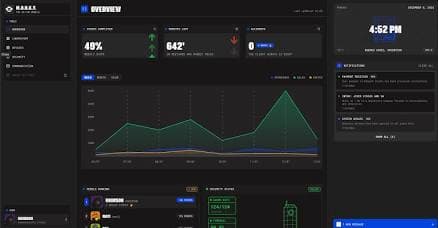
Imagine you are an engineering team tasked with building a secure, internal analytics dashboard for a healthcare startup. You need responsive UI components (data tables, charts, patient cards), but your backend requires strict, custom security protocols that cannot be outsourced to a generic AI backend.
Instead of hand-coding every table and card, you evaluate your options:
- Lovable / Bolt.new: These try to build the backend and database connections for you, which conflicts with your strict internal security architecture.
- Figma AI: Helps design the look, but your developers still have to translate it into React manually.
- v0 by Vercel: Generates the exact React and Tailwind components you need based on prompts.
For this scenario, v0 becomes the practical choice. It allows your team to rapidly generate complex frontend components that can be seamlessly dropped into your secure, custom-built backend without compromising architecture.
Build Smarter, Not Harder
The best AI design tool isn't always the one that promises to build an entire company from a single prompt. It's the one that seamlessly integrates into your existing workflow and outputs code you actually want to maintain.
If you are a non-technical founder looking to launch a full-stack MVP this weekend, lean toward platforms like Lovable. But if you are a developer or agency looking to accelerate your Next.js workflow with production-grade UI components, v0 by Vercel is the industry standard. Before making a final decision, test the free tiers to evaluate code quality, export flexibility, and long-term maintainability.
Frequently Asked Questions
1. What is v0 by Vercel? v0 is an AI-powered generative UI tool that translates text prompts and images into functional, copy-pasteable React and Tailwind CSS components.
2. Which platform is best for building a full-stack MVP? For projects requiring databases, user authentication, and backend logic out-of-the-box, full-stack builders like Lovable or Bolt.new are generally better suited than UI-focused tools like v0.
3. How much does v0 cost? v0 offers a free tier with limited monthly credits. For serious building and higher limits, the Premium plan typically costs $20/month, with Team and Enterprise plans available for collaborative and compliant environments.
4. Can v0 build backend databases? No. v0 is strictly focused on the frontend presentation layer. It generates the UI (React/Tailwind) but leaves the backend architecture, database schemas, and API routes to your engineering team.
5. What should you look for in an AI design tool? Look for a tool that exports clean, standard-compliant code, integrates with your existing tech stack (e.g., Next.js, GitHub), and allows you to retain full ownership and portability of the generated source code.